
01 / Keep a photo diary
One photo can bring a whole day back.
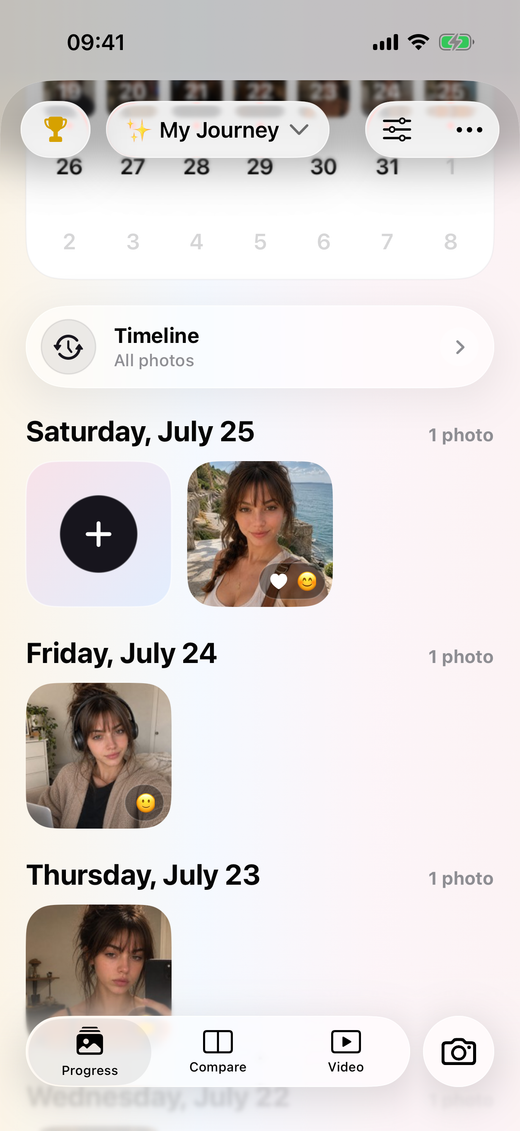
PhotoDays is a photo journal for iPhone and iPad. Capture a photo or Live Photo, or import one from your library. Keep it in an album with a date and a note, so it is easy to find when you want to look back. You can keep one album for daily life and separate albums for the stories that deserve their own space.
Start a daily photo diary in three small steps.
- 01
Choose what you want to remember.
Create an album for your everyday life, daily selfies, family moments or a creative project. A clear theme can make it easier to decide which photo belongs in the diary.
- 02
Capture or import a moment.
Take a photo in PhotoDays or bring in a photo or Live Photo from your library. Add a short note: where you were, what happened, or why this particular moment mattered.
- 03
Make a little time to look back.
Browse your calendar and timeline to revisit earlier entries. Set reminders if they help. Your streak gives you a record of returning, while a progress video lets you replay a longer chapter.
Try one photo a day. Leave room for real life.
A one-photo-a-day habit gives you an easy starting point, but it does not have to become a rule. You might take a daily selfie for a month, photograph your garden each weekend, or save a moment only when something catches your attention. Missing a day does not make the photos you already have less meaningful.
- Choose a reminder for a time when you are usually free.
- Keep notes short enough that adding one feels easy.
- Use separate albums when two stories have different rhythms.
- Revisit the month before deciding what to record next.
A photo-first journal.
PhotoDays centers on photos and Live Photos, with notes for context. It is not a text-first writing app or a public social feed. A progress video is made from the moments you choose; PhotoDays does not promise to fill missing days automatically.