
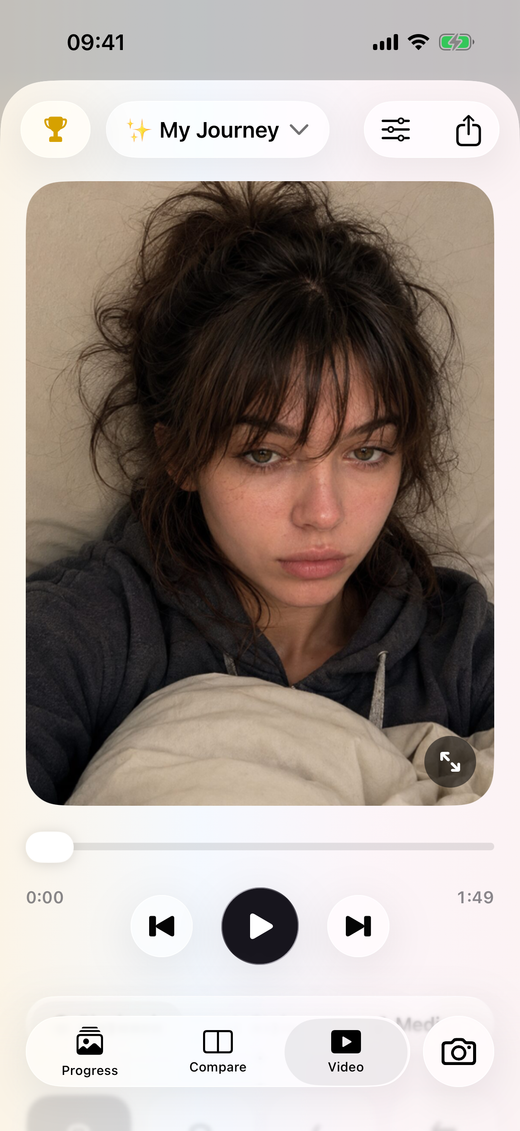
03 / Make a photo video
Make a progress video from the photos you collect.
PhotoDays brings photo tracking and video creation into the same place. Build your record in an album, then turn your photos into a progress video. You can add music and export an MP4, or create a GIF when a short repeating sequence is a better fit.
From an album to a photo time lapse.
- 01
Collect photos around one subject.
Choose an album with a clear thread: daily selfies, a growing plant, fitness progress or a creative project. Capture new photos or import the pictures you have already taken.
- 02
Build and preview the sequence.
Open the video creator for your album and preview how the photos work together over time. Similar framing helps the change stand out. Add music if you want an audio track for the video.
- 03
Export the version you want to keep.
Save an MP4 video for playback and sharing, or export a GIF for a looping visual. Review the result before sharing it, especially if your photos or notes contain personal details.
A smoother story starts with a consistent frame.
A photo time lapse works best when the subject stays in roughly the same position. Use PhotoDays’ previous-photo guide while capturing your sequence. A steady background and similar lighting help keep attention on the changes between frames instead of the movement of the camera.
- Pick a sequence with one subject or theme.
- Capture from a similar angle as the album grows.
- Preview the full result before exporting.
- Keep the original photo album so you can revisit individual dates.
A time lapse made from photos.
This is a video assembled from a photo sequence, rather than an interval camera that takes photographs automatically. PhotoDays does not promise one-second-per-day video recording, automatic daily filling or a professional video editing timeline. GIF is a silent format; choose MP4 when you want video with music.